Welcome to Term 4! By now our class has already covered programming and digital design. This term we bring it all into the real world — wires, sensors, and small computers that actually do things. Here is what we are building to finish the year, and how you can support the mahi at home.
There is a moment in this class — usually around week seven — when a student's code makes a robot buggy drive. Not simulated, not on screen. It drives. That moment is why I teach. We start small: LEDs and buttons. We get to that moment by building real physical systems, step by step, and learning that the gap between an idea and a working machine is just a series of solvable problems.
Try the interactive Mindmap App (work-in-progress) built by Matua Tobias to map system designs!
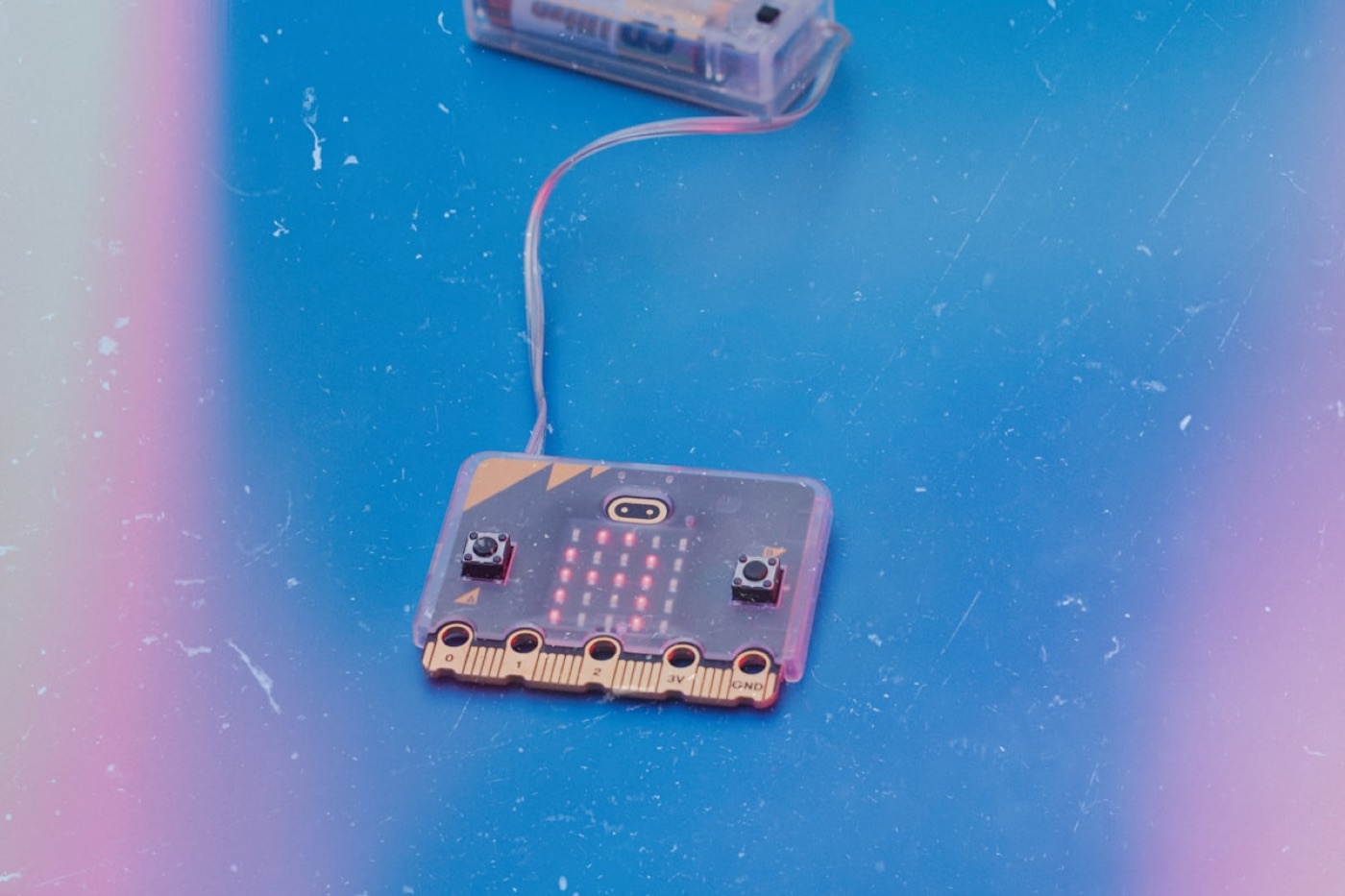
This unit integrates coding with physical hardware. We program micro:bits to interact with the physical world, mapping software logic to inputs and outputs. This aligns with kaitiakitanga—using tech to monitor and protect te taiao (our environment). Every student builds three core strands:
| W1–3 | Stage 1: Sensors & Outputs (Current Stage)Connecting micro:bits to lights, buttons, and sensors — learning inputs, outputs, and simple programs | → reactive name badge |
| W4–5 | Stage 2: Data from SensorsLogging real sensor readings (temperature, light) and displaying live data on screen | → classroom climate logger |
| W6–9 | Stage 3: RoboticsProgramming motors to drive and steer an autonomous buggy — plus a written explanation of how the electronics work | → robot buggy + electronics write-up |
All hardware is supplied by the school — nothing to buy. The free online micro:bit simulator at microbit.org covers home tinkering. The W6–9 electronics write-up is the key literacy assessment — assessed as an e-asTTle writing task. Programme integrates Computational Thinking (PO5) and Digital Outcomes (PO3).
Where physical computing skills can lead — explore live NZ career pathways:
Careers NZ
Engineering & robotics
micro:bit Projects
More builds to try
Te Kete Ako
Browse Tech Resources
The key assessment is the Week 6–9 electronics write-up — a formal written explanation of how the robot's motors and sensors work, assessed as an e-asTTle writing task.
Progress is reported live against national progress outcomes on the Curriculum Dashboard. No percentage grades.
Classwork is always visible. Feedback is ongoing, and report cards match what we've already discussed in class.
Support from home makes a massive difference in how our students connect with their learning:
Find all 12 kupu below — they hide left, right, up, down, diagonally, and backwards. Both the Māori te reo and English words are in the same grid. Circle or highlight each one.
| N | P | N | U | P | E | L | E | C | T | R | I | C | I | T | Y |
| A | G | N | A | T | I | K | A | I | T | I | A | K | S | K | M |
| T | M | U | E | K | P | I | E | P | A | I | K | M | R | E | K |
| I | R | I | R | A | N | G | I | U | K | O | R | R | I | O | I |
| O | S | O | P | A | R | T | K | O | E | I | U | N | K | E | T |
| A | K | O | U | U | T | O | N | K | U | D | U | I | M | D | P |
| I | R | T | P | E | K | N | U | O | I | A | H | O | E | A | R |
| K | O | T | O | M | R | E | T | A | A | R | A | R | E | T | S |
| R | A | R | A | U | N | G | A | H | N | T | I | N | S | A | S |
| R | R | R | A | A | E | U | M | I | E | I | S | S | E | A | N |
| K | R | O | H | H | U | T | K | R | H | T | N | E | K | H | U |
| N | O | S | N | S | E | E | A | N | A | I | D | R | A | U | G |
| K | B | N | P | K | K | K | T | H | U | K | T | E | A | T | R |
| E | O | E | K | O | N | H | K | R | O | I | U | P | K | O | K |
| P | T | S | K | S | H | O | K | H | I | M | P | H | U | P | I |
| R | M | R | P | E | I | P | N | U | H | R | A | M | T | U | T |
Kupu to find: (macrons not shown in grid — search PUOKO, KAITIAKITANGA)