Mangakōtukutuku College · Hangarau / Technology Whānau newsletter · Issue 2 · 3 August 2026
Year 10 Junior Digital Technologies

Digital Design
& Media
10DTC
9 weeks · 3 lessons/week
Digital Suite T3
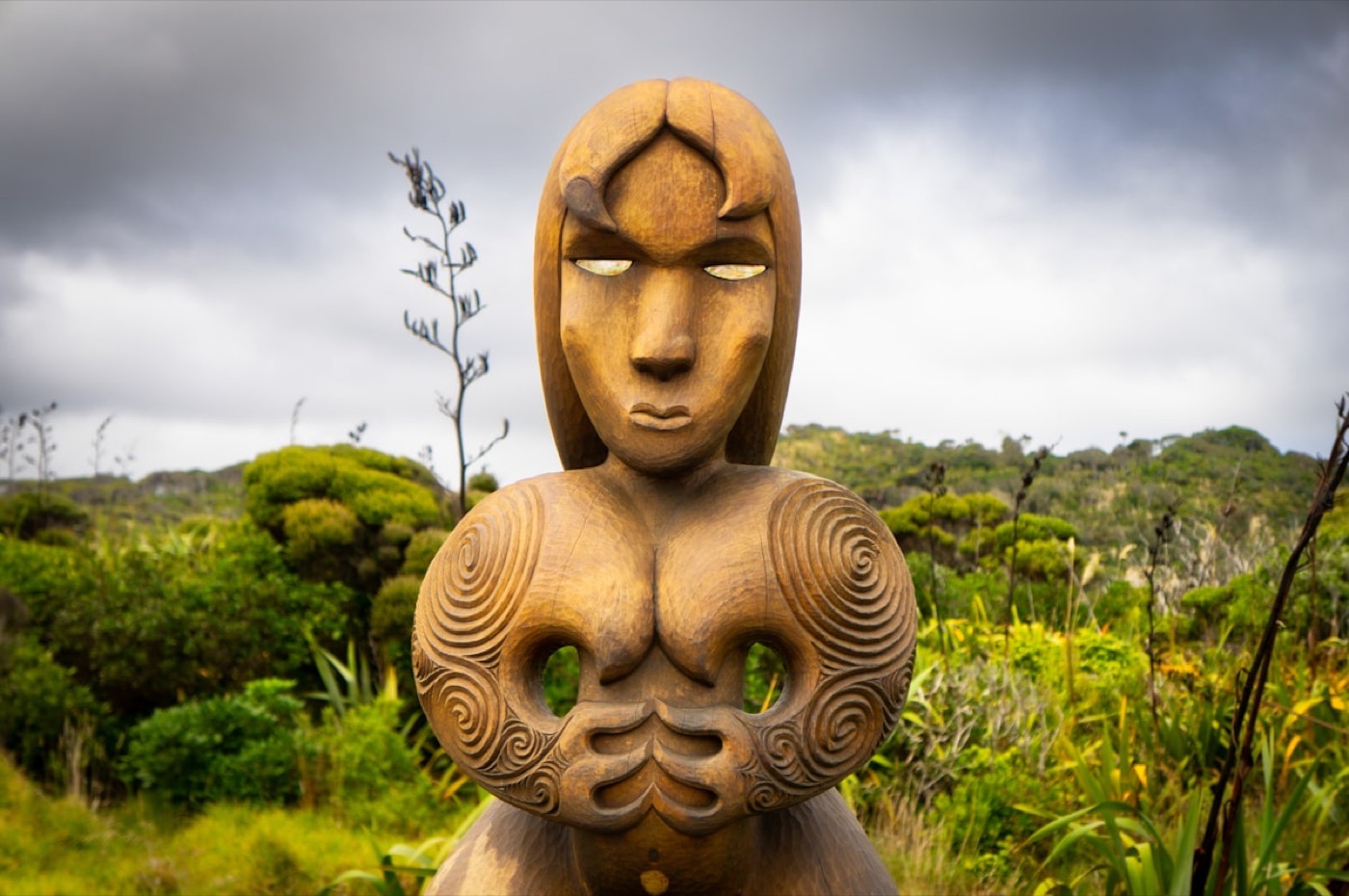
Carved wooden pou whakairo standing among native bush
Whakairo carries meaning in every line. Digital design continues this tradition—new medium, same care.

Nau mai, haere mai e te whānau!

Welcome to Term 3! This term 10DTC turns into a digital design studio — we'll be thinking about colour, typography, and how design choices either welcome people in or shut them out. Here is a look at what we are making, and how you can support the learning at home.

Matua Tobias — Tobias Croydon-McRae
Kaiako · Digital Technologies

Before teaching, my tech industry career focused on user experience. Shifting into the classroom has only deepened that interest — because every student in this room uses dozens of designed things every day without realising someone made a decision about every pixel. Our classroom is a studio. We explore layouts, typography, and accessibility. Good design is empathy: making digital spaces welcoming for everyone in our community.

"Design is really an act of communication, which means having a deep understanding of the person with whom the designer is communicating."— Don Norman, The Design of Everyday Things
Kaiako Showcase: Spelling Bee

Try the Spelling Bee Game built by Matua Tobias. Bonus: watch Matua Toby's favourite video on Hexagons again!

B
E
E

Design and Creative Outcomes Hangarau

In the NZC, this stage focuses on Designing & Developing Digital Outcomes. Good design is about empathy—creating user interfaces that are accessible to all. Just like whakairo, where every spiral has a purpose, digital layouts guide users with care. Every class builds three strands:

1
Technological PracticePrototyping, testing with users, and iterating layouts.
2
Technological KnowledgeUnderstanding layout systems, typography hierarchy, and HTML/CSS.
3
Nature of TechnologyEvaluating accessibility and how digital media represents communities.
Our main tool: Blender Blender is free, professional-grade 3D software used in film, games, and product design worldwide — including NZ film productions. Students use it to model and render a digital object from scratch. Free to download on any home computer.

What we will make in 10DTC in Term 3 Ka hangaia

  • A usability write-upa formal critique of an NZ website's design and accessibility (assessed via e-asTTle writing)
  • A 1-page web portfoliohand-writing HTML and CSS to build a clean, working web layout from scratch
  • A 3D model in Blenderusing free 3D modelling software to create and render a simple digital object
  • A finished design showcasepresenting their portfolio and 3D work as a complete designed package

Where this class fits — the five technological areas NZC

Computational ThinkingCode, algorithms and data — thinking in steps a computer can follow
THIS CLASSDigital Outcomes (DDDO)Designing and building digital media, websites and apps
Materials OutcomesDesigning and making with wood, metal and textiles
Processed OutcomesFood technology and biotechnology — design you can eat
Design & Visual CommunicationSketching and drawing to communicate design ideas

The nine-week journey

Te haerenga · 10DTC
W1–3Stage 1: Design Thinking & UX (Current Stage)Colour, typography, and accessibility — a formal written critique of an NZ website's design (assessed via e-asTTle writing)→ usability write-up
W4–6Stage 2: HTML & CSS Web BuildingHand-writing semantic HTML and styling with CSS — turning designs into real web pages→ 1-page portfolio site
W7–9Stage 3: Creative Media & 3DUsing Blender to create a 3D model and presenting it alongside the portfolio→ Blender model + showcase

All software is free — Canva, Figma, and Blender run in a browser or are free downloads. Programme aligned to the NZC: Designing & Developing Digital Outcomes (Progress Outcome 3). The usability write-up (W1–3) is the key literacy assessment — assessed as an e-asTTle writing task.

Where could this lead? Ara mahi

Where design skills can lead — explore live NZ career pathways:

Pathway at MKT: Year 10 Tech → senior NCEA Digital Technologies (Levels 1–3) → design school, creative technologies, or tertiary study. Our senior pathways page is a work in progress — we are still designing it. Watch this space!

Our kawa — what we expect Ngā tikanga

  • ManaakitangaWe support each other — everyone's creative expression is respected.
  • Devices are for makingEquipment is used for learning and treated like the taonga it is.
  • Design with IntegrityWe create original work and credit others' assets. Respect copyright.
  • Honest AI useAI assists our design workflow, but our own taste and choices guide the outcome.
  • AkoWe learn from each other. In our classroom, everyone is a teacher and everyone is a learner.

How progress is assessed & reported Aromatawai

The Assessment

The key assessment is the Week 1–3 usability write-up — a formal written critique of an NZ website's design and accessibility, assessed as an e-asTTle writing task.

The Dashboard

Progress is reported live against national progress outcomes on the Curriculum Dashboard. No percentage grades.

No Surprises

Classwork is always visible. Feedback is ongoing, and report cards match what we've already discussed in class.

How whānau can help at home Mā te whānau

Support from home makes a massive difference in how our students connect with their learning:

  • Read to your teenager. There is no age where they are too old to be read to. Reading together, discussing news, or sharing a book builds vocabulary, critical thinking, and connection. It's the most powerful support you can give.
  • Spot design in the wild. Look at signs, ads, or packaging together. Discuss what choices (fonts, colors, spacing) make them easy or hard to read.
  • Explore Creative AI. Try our school workshop on generating visual assets ethically: Creative AI Module.
  • Inspect a website. Ask them to right-click any page and 'Inspect'. They can show you the HTML/CSS code they are learning to write.
  • Ask who designed that. Someone designed every object around you — the milk bottle, the cereal box, the app on your phone. Ask your young person: who gets to make those choices, and who gets left out?
Mahi Kainga · Homework: wordfind on page 3 ↓hoahoa design · whakaahua image · tae colour · paetukutuku website · kiritaki client · auaha creativity
Pātai? Questions? Catch me at school, drop an email to t.mcrae@mkt.school.nz, or ring the office. He waka eke noa.
Matua Tobias · Technology Faculty
Mangakōtukutuku College
Mangakōtukutuku College · Hangarau / Technology Issue 2 · Mahi Kainga / Homework
Year 10 Junior Digital Technologies — Term 3

Kupu Wordfind

10DTC

Find all 12 kupu below — they hide left, right, up, down, diagonally, and backwards. Both the Māori te reo and English words are in the same grid. Circle or highlight each one.

AHAUAPUUMPNKHPKK
EMAAHTAEPNTKEMUS
NHRSTTKUAGEEKNTW
NONKCREATIVITYNE
HUWHOKAKPSAPKKEB
MIHIMNIHUEUONUIS
KHAORRPOIDUNTKLI
EOKIIARAOPHHEUCT
AAATRHKEORPTATIE
TTATSHIMAGETNUAP
AKHUSHORKRHSAKTP
INUUKIOAUAREIUMP
PAAROUMSHOIRATPT
NIPTAEMHOOLMHESM
TISKREKTHHAOTAHR
EAPSHRTPAUOMCPNR

Kupu to find: (macrons not shown in grid)

hoahoa — design
design — hoahoa
whakaahua — image
image — whakaahua
tae — colour
colour — tae
paetukutuku — website
website — paetukutuku
kiritaki — client
client — kiritaki
auaha — creativity
creativity — auaha
He waka eke noa — we are all in this together. Ka pai!
Matua Tobias · Technology Faculty
Mangakōtukutuku College